
Find and fix accessibility issues, with proof
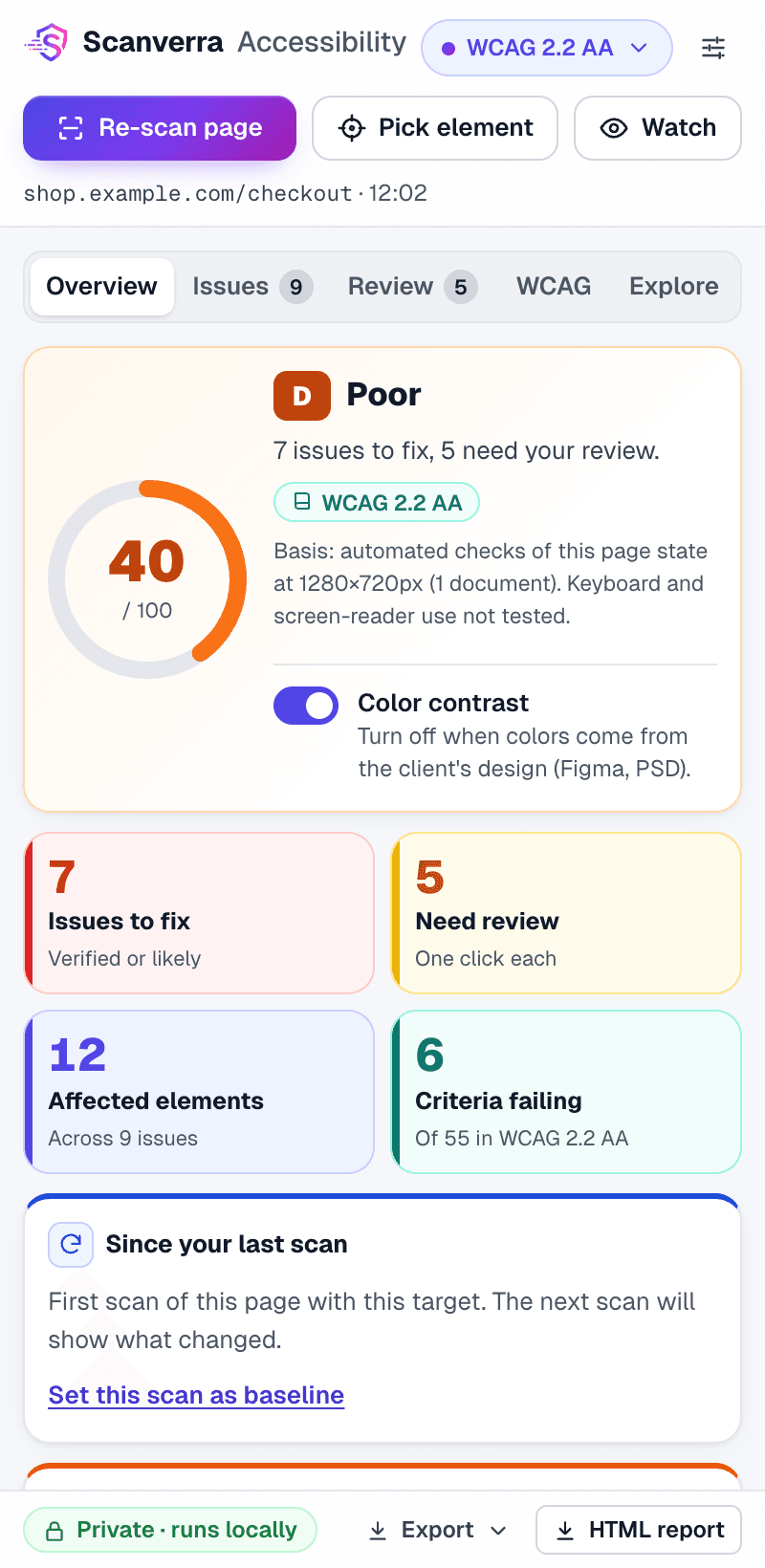
Scan any page from a panel right on the page, Chrome's side panel or DevTools. Every issue comes with the evidence behind it, repeated problems are grouped by component, and you get fix code you can paste.
Free to start: 5 scans a month with no account, 20 with a free account.
Works in Chrome and Brave.
Included in every Scanverra plan. Pro makes it unlimited.
Accessibility Extension is one of seven Scanverra tools. One subscription covers all of them.
See all seven toolsBuilt for fixing, not just finding
Less noise than a raw checker, and a clear next step for every issue.
Evidence, not guesses
Every finding shows how certain it is and why. Anything automation can't confirm goes to Review as a yes or no question, so it's never reported as a verified failure.
Fix once per component
Repeated problems are grouped by component, with fix code for common issues in HTML, React, Vue, Angular and Svelte, and the nearest passing color for contrast issues.
Prove the fix
Re-check one issue after you change the code, see what's new since your last scan, and with Pro let watch mode re-scan on every save.
Private by design
Scans run in your browser. Page content stays on your device unless you save a report to your Scanverra account, and screenshots never leave it. Signing in only checks your plan and counts your scans.
Your first scan in under a minute
No account and no setup needed.
Add to Chrome
Install the extension and pin it to the toolbar.
Open your page
Click the Scanverra icon, or press Alt+Shift+A, to open Scanverra on the page you want to test.
Scan and fix
Click Scan this page, start with the issues to fix first, and paste the fix code.
Free to start, unlimited with Pro
Explore, fix code and exports never count toward your scans. Pro removes the limit.
No account
- Scans per month5 / mo
- Explore: headings, landmarks, tab order, text spacing
- Fix code, fix re-checks and report exports
- Not included: Watch mode: re-scan on every change
- Not included: DevTools Elements pane
- Not included: Save to Scanverra: history, share links, PDF
Free account
- Scans per month20 / mo
- Explore: headings, landmarks, tab order, text spacing
- Fix code, fix re-checks and report exports
- Not included: Watch mode: re-scan on every change
- Not included: DevTools Elements pane
- Not included: Save to Scanverra: history, share links, PDF
Pro, Team, Enterprise
- Scans per monthUnlimited
- Explore: headings, landmarks, tab order, text spacing
- Fix code, fix re-checks and report exports
- Watch mode: re-scan on every change
- DevTools Elements pane
- Save to Scanverra: history, share links, PDF
Pro also includes every Scanverra website tool. See full pricing.
Fix with AIPro
Hand every issue to your AI coding agent
Turn any scan into one ready-to-paste prompt: every issue with where it is, why it matters and how to fix it, most urgent first.
- Fix everything at once, or only the critical and high issues
- The agent confirms each issue first and keeps every change small
- It reports back what it fixed and what needs a person
Included in every paid plan. Works on reports you save to your account.
# Fix the Scanverra Accessibility issues Scanverra found on https://example.com
## How to work
1. Confirm each issue is still there before you change it.
2. Make the smallest change that removes the problem.
## Issues (14 issues)
### 1. [HIGH] Text contrast is 3.1:1 (needs 4.5:1)
- Where: `.card p` (found in 8 places)
- How to fix: use #4b5563 on the white background.
### 2. [MEDIUM] Image has no alt text
Pairs well with
Each Scanverra tool covers one angle. These two cover the next ones.
One subscription
All seven tools on one plan
- Free: 5 scans a month without an account, 20 with a free account.
- Pro: unlimited Accessibility Extension scans, plus unlimited scans on the other five scan tools and AI Visibility for 3 brands. Billed monthly, cancel anytime.
Accessibility extension questions
Chrome and Brave. It opens as a panel on the page, in Chrome's side panel or in DevTools.
WCAG 2.2. Issues automation can confirm are reported with evidence, and anything that needs a human decision goes to Review as a yes or no question instead of a guess.
No. Scans run in your browser and page content stays on your device unless you choose to save a report to your Scanverra account. Screenshots never leave your device.
Yes, with a monthly number of free scans with no account and more with a free account. Pro makes scans unlimited and adds watch mode.
Make your next release accessible
Install the extension and get 5 scans a month free, no account needed.
Add to Chrome (opens in a new tab)