
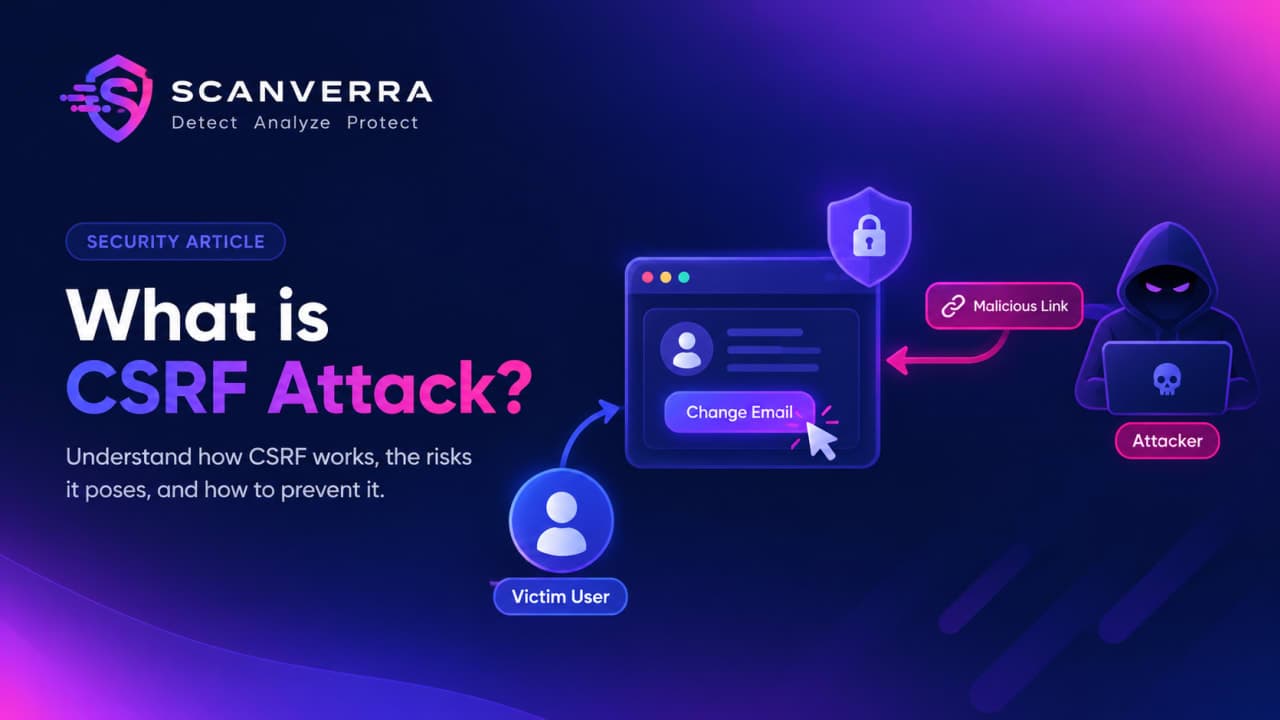
What Is CSRF? A Practical Guide to Cross-Site Request Forgery
CSRF gets confused with XSS constantly, but the two work in almost opposite ways. Cross-Site Scripting is about getting your malicious code to run on the victim's site. Cross-Site Request Forgery doesn't inject anything anywhere - it tricks the victim's own browser into sending a real, valid request to a site they're already logged into, on the attacker's behalf.
How a CSRF Attack Actually Works
Walk through the classic case. You're logged into your bank's website - your browser is holding a valid session cookie for it. You then visit a completely unrelated, malicious page in another tab. That page contains something as simple as:
An auto-submitting HTML form pointed at
https://bank.com/transfer?to=attacker&amount=5000Or, if the endpoint accepts GET requests for a state change (it shouldn't, but plenty do), something as innocuous-looking as
<img src="https://bank.com/transfer?...">
Your browser doesn't know or care that the request originated from a shady page - it just sees a request to bank.com and attaches whatever cookies it's holding for bank.com, exactly the same as if you'd clicked a button on the bank's own site. The bank's server sees a request with a fully valid session cookie and has no way to tell, from the cookie alone, that you never actually intended to send it.
Why Cookies Alone Aren't Enough
The Same-Origin Policy is often assumed to prevent this, and it does prevent something adjacent - it stops the malicious page from reading the response from bank.com. But CSRF doesn't need to read the response. It only needs the request to be sent and acted on; the attacker in the transfer example doesn't need to see a confirmation page, they just need the money to move. A cookie proves the request came from a browser holding a valid session - it says nothing about whether the user actually meant to send that specific request.
The Defenses That Actually Work Against CSRF
CSRF tokens (synchronizer token pattern). The server embeds a random, unpredictable token in every form it renders and checks that the same token comes back on submission. A malicious page on another origin has no way to read that token off the real page (Same-Origin Policy blocks that read), so it can't include a valid one in its forged request.
SameSite cookie attribute. Setting
SameSite=Lax(the modern browser default when unset) orSameSite=Stricttells the browser not to attach the cookie on cross-site requests.Laxstill allows the cookie on top-level GET navigations (clicking a link), which is why the pattern above of using a mutating GET request is doubly dangerous - it's the one caseLaxdoesn't stop.Strictcloses that gap but breaks the cookie on any cross-site link-in, which has real UX tradeoffs. For a deeper look at cookie security beyond CSRF specifically, see our guide to secure cookie configuration.Double-submit cookie pattern. A token is set as both a cookie and required as a request parameter or header; the server checks they match. Useful for stateless APIs where storing a per-session token server-side isn't practical.
Origin/Referer header checks as defense-in-depth - verifying a state-changing request actually originated from your own domain. Not sufficient alone (these headers can be stripped by proxies or omitted in some configurations) but a solid extra layer alongside a real token.
What Doesn't Actually Protect You
A CAPTCHA on the form doesn't stop CSRF - the forged request is generated by the victim's own browser, not a bot, so nothing about the request looks automated. And none of the defenses above matter if a state-changing action is reachable via a plain GET request in the first place - using GET only for reads and POST/PUT/DELETE for anything that changes state is a prerequisite for CSRF protection to mean anything, not an optional best practice on top of it.
It's worth being explicit that CSRF and Content Security Policy solve different problems entirely, despite the similar-sounding names - CSP restricts what a page is allowed to load and execute to reduce XSS impact, and doesn't address CSRF at all. See our CSP implementation guide if that's the header you're actually looking for.
A security scan checks for the cookie flags and header configuration that indicate whether CSRF protections are in place, alongside the rest of your site's exposed attack surface.
If a scan turns up a cookie missing SameSite specifically, fixing the flag directly closes off that CSRF attack path without waiting on a broader token-based fix.
If a scan flagged a form without CSRF protection, follow how to fix a missing CSRF token.
Frequently asked questions
No. XSS is about getting malicious code to execute on the victim's own page - it can read cookies, local storage, and anything else the page has access to. CSRF doesn't inject or execute anything; it tricks the victim's browser into sending a legitimate, valid request using credentials it already holds. They're often mentioned together because a working CSRF token defense can be bypassed entirely if the same page also has an XSS vulnerability, since the malicious script can just read the token directly off the page.
No. HTTPS protects data in transit between the browser and the server, and it's necessary for the Secure cookie flag to work, but it does nothing to stop a browser from sending a legitimate cross-site request with valid cookies attached. A forged request against a CSRF-vulnerable HTTPS site works exactly the same as it would over HTTP.
Generally no, for the same reason the double-submit cookie pattern works: a Bearer token typically has to be attached explicitly by JavaScript (e.g. in an Authorization header), and the browser has no mechanism to attach it automatically to a cross-site request the way it does with cookies. This is part of why some APIs choose header-based tokens specifically to sidestep classic CSRF - though it shifts the risk to guarding the token from XSS instead, since it's usually readable by page JavaScript.
No. A CAPTCHA proves a human is present, and a CSRF attack is generated by the victim's own real browser during a real, legitimate session - there's no bot for the CAPTCHA to catch. It adds friction for real users without addressing what actually makes the forged request possible.
SameSite=Strict is a strong mitigation, but relying on it alone means trusting every browser your users have to correctly enforce it, with no fallback if one doesn't. CSRF tokens don't depend on browser behavior at all, which is why the two are usually recommended together rather than as alternatives - SameSite as the broad default protection, tokens as the layer that still holds if it's ever bypassed.
It almost always means the token the server received doesn't match the one it expects for that session - usually because the session expired and a stale form got submitted anyway, the token was already used and regenerated while another tab still had the old one, or the request lost its session cookie entirely (blocked third-party cookies, a proxy stripping headers, or a tool like Postman not carrying the browser session). It's the server correctly doing its job, not a bug to route around - reloading the form for a fresh token is usually the actual fix.
Related reading
How to Fix Missing CSRF Protection
Why a state-changing POST form with no CSRF token lets any other site submit it on a logged-in user's behalf, and how to add token-based protection without breaking legitimate submissions.
Secure Cookie Configuration: SameSite, Secure, and HttpOnly Explained
Three cookie flags, three completely different attacks they stop - what each one actually does, and why a cookie missing even one of them is a real, exploitable gap.
How to Implement a Content Security Policy Without Breaking Your Site
CSP is the highest-leverage security header and the easiest one to break your own site with - a safe rollout strategy using report-only mode.
How to Fix Insecure Cookie Flags (Secure, HttpOnly, SameSite)
What each of the three cookie flags actually protects against, why missing even one leaves session cookies exposed, and how to set all three correctly.
Run a security scan
Checks cookie flags (Secure, HttpOnly, SameSite) and header configuration alongside the rest of your site's exposed surface.
Find out which headers you're missing
Run a free security scan and get a plain-English breakdown of every header, cert, and exposed secret.
Run a free security scan