
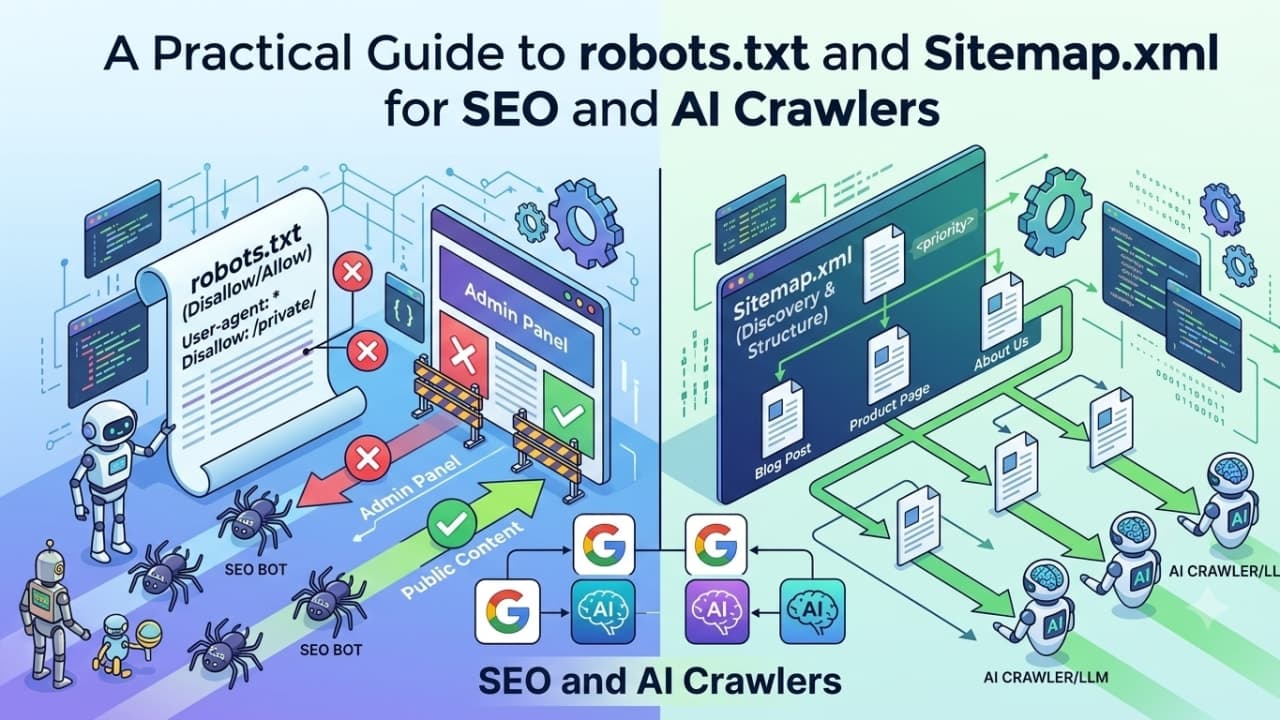
A Practical Guide to robots.txt and Sitemap.xml for SEO and AI Crawlers
Two small text files decide whether search engines and AI crawlers can find and index your site at all. Both are easy to misconfigure, and the mistakes usually fail silently: no error, no warning, just pages that never show up in search.
This guide covers what robots.txt and sitemap.xml actually do, how crawlers read them, the mistakes we see most often in audits, and how to verify both are working.
robots.txt: What It Actually Controls
robots.txt is a set of crawl instructions, not a security boundary. It tells well-behaved crawlers which paths they should and shouldn't request. It does not password-protect anything, and a malicious or non-compliant crawler can ignore it entirely. Worse, because the file is public, listing a sensitive path like /admin-backup/ advertises exactly where to look.
The format is standardised in RFC 9309 and follows a few rules that trip people up:
It only works at the root. Crawlers look for
https://example.com/robots.txtand nowhere else. A file at/blog/robots.txtis ignored.It is per host and per protocol.
shop.example.comandwww.example.comeach need their own file. So dohttp://andhttps://versions if both are served.Paths are case-sensitive.
Disallow: /Private/does not block/private/.Size is limited. Google reads only the first 500 KiB of the file and ignores the rest.
How crawlers read the rules
A robots.txt file is made of groups. Each group starts with one or more User-agent lines followed by Allow and Disallow rules:
User-agent: *
Disallow: /cart/
Disallow: /search
Allow: /search/help

Sitemap: https://example.com/sitemap.xml
Two behaviours matter more than anything else:
A crawler follows only the most specific group that names it. If you add a
User-agent: Googlebotgroup, Googlebot ignores everything underUser-agent: *. Rules are not merged. This is how sites accidentally unblock (or block) pages for one bot while testing another.The longest matching rule wins. In the example above,
/search/helpis allowed becauseAllow: /search/helpis more specific thanDisallow: /search. If anAllowandDisallowrule are equally long, Google picks the less restrictive one.
Google and Bing also support two wildcards: * matches any sequence of characters, and $ anchors the end of a URL. For example, Disallow: /*.pdf$ blocks every URL ending in .pdf, and Disallow: /*?sort= blocks sorted versions of listing pages.
The mistake that blocks everything
A single overly broad rule can disallow the entire site:
Disallow: /at the root, left over from a staging environment's config that made it into production. This is the single most common robots.txt disaster, and it often goes unnoticed until traffic has already dropped.A blanket
User-agent: *block that also catches AI crawlers (GPTBot, ClaudeBot, and others) you may actually want indexing your content for AI search visibility.A missing trailing slash.
Disallow: /blogblocks/blog/, but also/blog-archiveand/blogging-tips, because rules match by prefix.
Disallow is not noindex
This is the most misunderstood part of robots.txt. Blocking a URL stops crawlers from fetching it, but it does not stop search engines from indexing it. If other pages link to a blocked URL, Google can still list it in results, usually with no description because it was never allowed to read the page.
To keep a page out of search results:
Add
<meta name="robots" content="noindex">to the page, or send anX-Robots-Tag: noindexHTTP header for non-HTML files like PDFs.Do not also block that page in
robots.txt. If the crawler can't fetch the page, it never sees thenoindexinstruction.
Note that a Noindex: line inside robots.txt has never been an official rule, and Google stopped honouring it in 2019.
Don't block CSS and JavaScript
Modern search engines render pages the way a browser does. If robots.txt blocks /assets/, /_next/, or /wp-includes/, Google may see a broken, unstyled page and misjudge its layout, mobile-friendliness, or content. Only block resources that are genuinely irrelevant to how the page looks and works.
Scoping rules to specific crawlers
If you want to allow general search crawling but block specific bots, target them by name rather than blocking everyone:
User-agent: BadBot/Disallow: /- blocks one specific crawler.User-agent: */Allow: /- the default, permissive baseline.
AI crawlers: training vs. search
Most AI companies now run separate crawlers for different jobs, and blocking the wrong one can remove you from AI search answers while doing nothing to stop training. The common ones:
OpenAI:
GPTBot(model training),OAI-SearchBot(ChatGPT search results),ChatGPT-User(fetches a page when a user asks).Anthropic:
ClaudeBot(training),Claude-SearchBot(search),Claude-User(user-requested fetches).Perplexity:
PerplexityBot(search index),Perplexity-User(user-requested fetches).Google:
Google-Extendedis not a separate crawler. It is a token that controls whether content crawled by Googlebot can be used for Gemini training. Blocking it does not affect normal Google Search.Others:
Applebot-Extended(Apple AI training) andCCBot(Common Crawl, widely used in training datasets).
A common middle-ground setup is to allow the search and user-fetch bots so your content can be cited in AI answers, while opting out of training:
User-agent: GPTBot
Disallow: /

User-agent: ClaudeBot
Disallow: /

User-agent: Google-Extended
Disallow: /

User-agent: *
Allow: /
Crawler names change as companies launch new products, so review this list at least once or twice a year.
What happens when robots.txt itself fails
The HTTP status of the file changes how crawlers behave:
200: rules are read and applied.
404 or other 4xx: treated as "no restrictions" - everything is crawlable.
5xx or timeout: Google treats the whole site as disallowed for a while, then falls back to a cached copy. A flaky server returning 500 on
/robots.txtcan quietly pause crawling of your entire site.
Also watch for a CDN, firewall, or bot-protection layer that serves a challenge page instead of the real file to crawlers.
Sitemap.xml: What It Actually Does
A sitemap doesn't force search engines to index anything. It's a discovery aid, telling crawlers which URLs exist and when they last changed, so pages your internal linking doesn't surface quickly still get found. It matters most for large sites, new sites with few backlinks, and sites that publish or update content often.
A minimal valid sitemap looks like this:
<?xml version="1.0" encoding="UTF-8"?>
<urlset xmlns="http://www.sitemaps.org/schemas/sitemap/0.9">
  <url>
    <loc>https://example.com/pricing</loc>
    <lastmod>2026-09-20</lastmod>
  </url>
</urlset>
The rules sitemaps have to follow
Size limits: a single sitemap can hold up to 50,000 URLs or 50 MB uncompressed. Larger sites should split URLs across several files and list them in a sitemap index.
Absolute, canonical URLs only: use the full URL with protocol, matching the version you want indexed (https, www or non-www, trailing slash or not).
Same host: a sitemap should only list URLs on the host where it lives, unless ownership of both is verified in Search Console.
UTF-8 and escaped characters: an unescaped
&in a URL breaks the XML and can make the whole file unreadable.
lastmod matters; priority and changefreq don't
Google ignores <priority> and <changefreq>. It does use <lastmod>, but only if it's consistently accurate. If your CMS stamps every URL with today's date on each build, crawlers learn to distrust the field entirely. Update lastmod only when the page's main content actually changes.
Common sitemap mistakes
Listing URLs that 404, redirect, or are blocked by
robots.txt- wasted crawl budget on dead ends.Including pages marked
noindexor pages whose canonical tag points somewhere else. This sends mixed signals: the sitemap says "index this" while the page says "don't."A sitemap that's stale or hasn't been regenerated after a content change, so new pages take longer to be discovered.
Parameter, filter, or session URLs (
?sort=price,?utm_source=) sneaking in from a plugin or auto-generator.Staging or preview URLs leaking into the production sitemap.
Forgetting to reference the sitemap's location in
robots.txtitself (Sitemap: https://example.com/sitemap.xml).
Specialised sitemaps
Standard sitemaps can be extended for specific content types: image sitemaps for image-heavy sites, video sitemaps for video pages, news sitemaps for publishers, and hreflang annotations for multilingual sites. Most frameworks and CMS platforms (Next.js, WordPress with an SEO plugin, Shopify, Webflow) can generate these automatically, which is usually safer than maintaining them by hand.
How robots.txt and Sitemaps Work Together
The two files should tell a consistent story. Every URL in your sitemap should be crawlable under your robots.txt rules, return a 200 status, and be the canonical version of that page. If any of those three disagree, search engines have to guess, and they often guess wrong.
How to Verify Both Are Correct
Fetch /robots.txt directly and read every rule as if you were the crawler it applies to - it's plain text, no tooling required. For the sitemap, spot-check a sample of listed URLs to confirm they actually return 200 and aren't blocked by the rules you just read. Then use the tools search engines provide:
Google Search Console: the robots.txt report shows which version Google last fetched and any parsing errors. The Sitemaps report shows how many submitted URLs were discovered, and the URL Inspection tool tells you whether a specific page is blocked, indexed, or excluded, and why.
Bing Webmaster Tools: submit your sitemap here too. Bing also supports IndexNow, which lets you notify it of changed URLs instantly instead of waiting for a recrawl.
Server logs: check which crawlers are actually hitting your site and what status codes they receive. This is the only way to confirm that AI crawlers are behaving as your rules intend.
Both files are worth including in a full technical SEO audit, not just checked once at launch. Re-check them after every migration, redesign, CMS or hosting change, and major release.
Quick Checklist
/robots.txtreturns 200 at the root of every host you serve.No leftover
Disallow: /from staging.CSS, JavaScript, and image paths are crawlable.
Pages you want out of search use
noindex, notDisallow.AI crawler rules match your intent for training vs. search.
robots.txtincludes aSitemap:line.The sitemap lists only canonical, indexable URLs that return 200.
lastmoddates reflect real content changes.The sitemap is submitted in Google Search Console and Bing Webmaster Tools.
Frequently Asked Questions
Do I need a robots.txt file at all?
No. Without one, crawlers assume the whole site is crawlable. But having one lets you point to your sitemap and control AI crawlers explicitly, so it's worth adding even if it only contains Allow: / and a Sitemap: line.
Does a sitemap improve rankings?
Not directly. It helps pages get discovered and recrawled faster, which matters most for new, large, or frequently updated sites. Rankings still depend on content quality, links, and page experience.
How long do robots.txt changes take to apply?
Google generally caches robots.txt for up to 24 hours, so changes usually take effect within a day. You can request a recrawl of the file from the robots.txt report in Search Console.
What about llms.txt?
llms.txt is a newer, proposed file that gives AI tools a curated, Markdown summary of your site's most important content. It doesn't replace robots.txt or sitemaps and doesn't control crawling. Support across AI platforms is still inconsistent, so treat it as optional on top of the basics.
Check Your Site in Seconds
Scanverra's SEO Optimizer checks your robots.txt, sitemap, and AI-crawler readiness alongside 30+ other on-page SEO checks, and writes the fix for every issue it finds. Paste a URL to run it free.
Related reading
How to Fix robots.txt Blocking AI Crawlers
Why a blanket Disallow rule can silently block GPTBot, ClaudeBot, and other AI crawlers from your site, and how to unblock them without opening the site to everything.
Sitemap Checker
Check whether your sitemap.xml is reachable, valid, and free of common mistakes.
See your full audit score right now
Run a free instant audit and get an AI-prioritized fix list for performance, SEO, and accessibility.
Run a free audit