
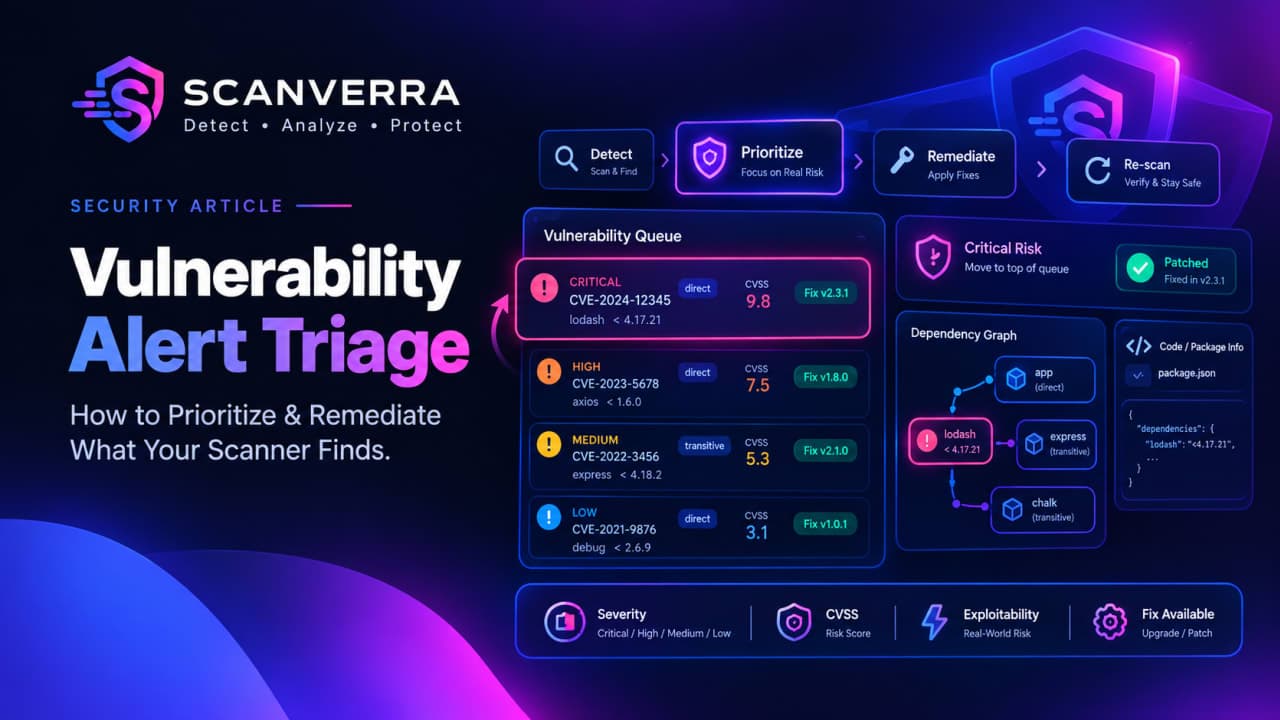
Vulnerability Alert Triage: How to Prioritize and Remediate What Your Scanner Finds
A dependency scan that comes back with two hundred vulnerability alerts hasn't told you what to do next it's told you what to decide. The gap between "we run a scanner" and "we're actually reducing risk" is triage: a repeatable way to decide which vulnerability alerts get fixed today, which get scheduled, and which get consciously set aside. The table below is the short version; the rest of this guide is the reasoning behind it.
Signal | What it means | Typical action |
|---|---|---|
Critical, direct dependency, fix available | Exploitable, in a package you chose to include, and a patched version already exists | Patch now, ahead of everything else in the queue |
Critical, no fix available yet | No patched version exists to upgrade to | Reduce exposure (feature-flag the code path, restrict access) and watch for a patch |
High, direct dependency | Real risk, less time-pressure than an actively exploitable, unpatched critical | Schedule it into the current or next sprint |
High or critical, transitive dependency | The vulnerable package isn't one you installed directly | Check whether bumping the direct dependency pulls in the patch; force it with a lockfile override if not |
Medium or low, no path to production | E.g. a build-time or dev-only tool | Defer it, or record it as a reviewed false positive so it stops re-appearing as "new" |
What a Vulnerability Alert Is Actually Telling You
Every vulnerability alert from a dependency scan carries the same handful of fields, whether it comes from Scanverra's repo scanner or any other SCA tool: a severity bucket (critical, high, medium, low), one or more cveIds, usually a numeric cvssScore, whether the package is a direct or transitive dependency, and - when one exists - a fixVersion to upgrade to. Severity is the shorthand; CVSS is the number it's usually derived from, and it's worth understanding the underlying metrics rather than treating it as one opaque score. Our guide to reading CVSS scores covers that breakdown in full.
One honest caveat worth sitting with: dependency scanning works by matching the version you have installed against a database of known-vulnerable version ranges. That's what software composition analysis actually checks. It's a reliable signal that a vulnerable version is present in your tree it is not proof that your code calls the vulnerable function. A critical vulnerability alert on a large dependency you use for one narrow, unrelated utility is a different risk than the identical CVE in a library whose exact vulnerable API you call directly on every request. The vulnerability alert alone won't tell you which situation you're in; that judgment call is yours.
A Practical Framework for Triaging Vulnerability Alerts
Three questions do most of the work, and asking them in order keeps triage fast instead of turning into a debate on every single finding:
Is the vulnerability alert exploitable in your context? A remote code execution flaw in a server-side templating library matters more than the same severity rating on a CLI tool that only runs at build time and never touches untrusted input.
Is the vulnerability alert about a direct or transitive dependency? A direct dependency is a version you chose and can bump yourself right away. A transitive one is pulled in by something else fixing it may mean waiting on (or forcing, via a lockfile override) a version bump two or three levels up the dependency tree.
Is a fix available? If yes, the remaining work is mechanical. If no, the right response is temporary mitigation plus a watch-list entry not a ticket that sits "open" indefinitely, quietly making your backlog look worse than your actual risk.
Run every new vulnerability alert through those three questions before it gets a priority label, and the label will still mean something the next time someone looks at the queue instead of every finding defaulting to whatever severity the scanner assigned it.
From Vulnerability Alert to Patched: Closing the Loop
For a dependency finding, remediation is usually a version bump: take the fixVersion a vulnerability alert reports, upgrade to it (or later), and re-run the scan to confirm the finding actually clears rather than assuming it did. Transitive findings are the case worth double-checking the direct dependency you bumped may not have picked up the patched sub-dependency yet, which is exactly why re-scanning after a fix matters more than it feels like it should.
Code-level findings - a leaked secret, a SAST issue in your own source follow a different remediation path than a dependency vulnerability alert, and Scanverra can go a step further there: for those, it can open a pull request with an AI-applied fix directly against the flagged file. That mechanism is scoped to code findings, not dependency upgrades a vulnerable package still gets remediated via its fixVersion and a version bump, confirmed by a re-scan, not an auto-generated PR.
When "Not Now" Is the Right Call
Not every vulnerability alert should turn into a fix. A vulnerability alert with no real path to production, a false match against a fork you've already audited, or a risk you're deliberately accepting for now are all legitimate outcomes of triage as long as the decision gets recorded, not just clicked away. Marking a finding as a reviewed false positive or explicitly ignored, with a reason, keeps it out of the "new findings" list on every future scan without pretending it never existed and it's reversible any time you want to re-open it. That's the difference between a real triage process and noise you've simply trained yourself to tune out: one leaves a trail the next person can trust, the other just hides the same vulnerability alert until someone re-discovers it from scratch.
Don't Wait for Someone to Remember to Re-Scan
New CVEs turn into new vulnerability alerts against package versions you haven't touched in months the risk in your dependency tree can change even when your code doesn't. A one-off scan before a release only catches what's true at that exact moment. Scheduling recurring scans with email alerts turns "did any new vulnerability alerts show up" from a question someone has to remember to ask into something that lands in an inbox on its own, and a pass/fail quality gate on each report gives you one number to glance at instead of re-reading the full finding list every time. Pairing that cadence with the rest of your pipeline's guardrails is worth doing properly see our guide to securing a CI/CD pipeline for the broader picture beyond dependency scanning alone.
If you're evaluating this kind of workflow against a dedicated platform, we've written an honest side-by-side against Snyk, and if you're choosing between dependency scanners more generally, this comparison covers the tradeoffs. Ready to see your own vulnerability alerts prioritized like this? Scan a repository for severity, CVSS, and fix versions across everything it depends on, or run a security scan against a live site to catch exposed secrets and misconfiguration alongside it.
Perguntas frequentes
Severity is the bucketed label - critical, high, medium, or low - that most scanners, including Scanverra, show at a glance. The CVSS score is usually the numeric 0-10 value that severity label is derived from, built from metrics like attack vector, complexity, and impact. The label is faster to scan a list with; the score is what actually matters when two findings both say "critical" but you can only fix one first.
No. A critical, remotely exploitable flaw in a direct dependency with a patch available should jump the queue. A critical finding in a transitive dependency with no fix available yet is a monitoring item, not a same-day fix, because there's nothing to upgrade to. Treating every "critical" label as equally urgent is how backlogs get ignored instead of triaged.
It's excluded from the "new findings" list on future scans, and the reason you gave is kept alongside it, so nobody re-litigates the same finding from scratch on the next scan. It isn't deleted - restoring it back to active removes the override and it reappears as a normal finding again.
Sometimes, but often not directly - bumping the direct dependency that pulls it in is usually enough if that dependency has already picked up the patched sub-version. When it hasn't, a lockfile override (npm's overrides, pnpm's pnpm.overrides, or Yarn's resolutions) forces the patched version in without waiting on the maintainer upstream.
On a schedule, not just before a release. New CVEs are published against package versions that haven't changed in your codebase, so the risk can change without any code change on your side. Recurring scans with email alerts catch that drift instead of relying on someone remembering to re-run a scan.
Related reading
Understanding CVSS Scores: How to Prioritize Vulnerability Fixes
A 9.8 and a 7.5 aren't just "high" and "medium" - what actually goes into a CVSS score, and why the number alone shouldn't decide what you patch first.
Software Composition Analysis: A Complete Guide to Dependency Scanning
What SCA tools actually check, how a CVE in a transitive dependency you've never heard of still becomes your problem, and how to build a workable remediation process.
Securing Your CI/CD Pipeline: A Practical Guide
CI/CD pipelines have broad permissions and run untrusted code by design - here's how secrets, dependencies, and token scopes actually get exploited.
Scanverra vs. Snyk
A developer-security platform scanning open-source dependencies, source code, containers, and IaC, priced per contributing developer with a capped free tier.
Scan a repository for dependency vulnerabilities
See severity, CVSS, and fix versions for everything your repo depends on.
Run a website security scan
Check a live site for exposed secrets, missing headers, and other misconfiguration.
Find out which headers you're missing
Run a free security scan and get a plain-English breakdown of every header, cert, and exposed secret.
Run a free security scan